|
|
| |
|
Stock Market Dashboard
|
click here to see the demo
|
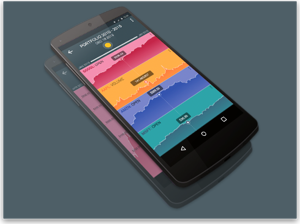
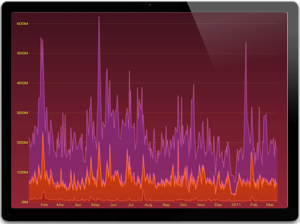
This dashboard shows
near-real time stock market data and
related company historical financial
information. You can view
open/close and high/low data on a daily
or weekly basis along with the related
sales volume. This is more a
proof-of-concept that combines some data
visualization and user experience best
practices with a highly stylized
appearance.
|
|
|
|
|
|
|
|
| |
|
Product Sales Dashboard
|
click here to see the demo
|
| This dashboard
demonstrates some of the next generation
user experience features we are
designing into our latest dashboards.
By leveraging the Adobe Flex 3.0
platform we have created a dashboard
that allows for deep dimensional
analysis against 60,000 records of data
with little or no user training. This
demonstration focuses on tracking
products sales and profitability by
product category and sales channel.
|
|
|
|
|
|
|
|
| |
|
Quarterly Review Dashboard
|
click here to see the demo
|
BrightPoint Consulting
was hired by Business Objects to create
a series of dashboard templates that
could be used out of the box by clients
new to the Crystal Xcelsius product
line. This dashboard represents
data that could be used by a company for
their quarterly business reviews.
|
|
|
|
|
|
|
|
| |
|
Human Resources Dashboard
|
click here to see the demo
|
This dashboard is second
in the series of dashboards Brightpoint
Consulting designed for Business
Objects. The goal of this
dashboard was to display information
relevant to a director or VP of human
resources at a small to medium sized
business.
|
|
|
|
|
|
|
|
| |
|
Financial & Sales Dashboard
|
click here to see the demo
|
This is a sample performance
dashboard that was designed for a startup
company focused on growth and cash flow.
These metrics provide a high level view
that let an executive know if business is
on track, or if something requires closer
inspection. By sliding the average weekly
sales slider in the model, you can see a
predicted annual revenue change accordingly.
This actual dashboard pulled its data real-time
from Microsoft Great Plains 8.0.
|
|
Template available,
email for pricing |
|
|
|
|
|
| |
|
Executive Dashboard
|
click here to see the demo
|
This dashboard demonstrates
the ability to combine high level key performance
indicators with drill down capabilities
into supporting analytics. Based on
an executive view into the business, this
dashboard provides a quick summary view
of Finance, Sales, Operations, and IT; with
the ability to also quickly understand the
information underneath the high level summary
Other views into different business areas
can easily be created or extended with this
dashboard..
|
|
Template available,
email for pricing |
|
|
|
|
|
| |
|
Weekly Bookings
|
click here to see the demo
|
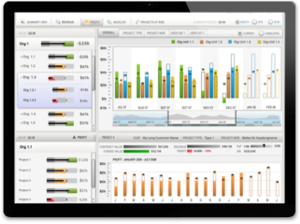
This dashboard
is used to capture a weekly bookings breakdown
for a manufacturer. In this case, we profile
a memory chip maker. The dashboard
allows the user to see QTD trends and detail
analysis across product groups and product
types.
By rolling over the gauges on the left side
of the chart you see timeline trends for
those particular metrics. By clicking
on the bars in the lower left bar chart,
you can see detailed breakdowns in the corresponding
pie chart on the right. You also have
the ability to see the underlying data in
a cross-tab format by clicking the "Report
Format" radio button.
|
|
Template available,
email for pricing |
|
|
|
|
|
| |
|
Google Ad Words Dashboard
|
click here to see the demo
|
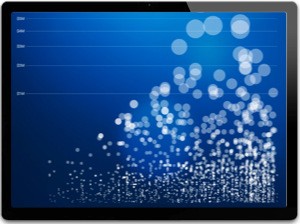
This dashboard is a Google
Adword campaign analyzer. It connects directly
to the Adwords Web Service API to allow
real time monitoring of your adword campaign.
You can increase campaign performance by
easily identifying high cost or poorly performing
keywords.
The bubble chart allows you to analyze your
campaign performance for each keyword based
on impressions, clicks and cost per click. |
|
|
|
|
|
| |
|
Gauge Dashboard
|
click here to see the demo
|
This dashboard
demonstrates a simple, but effective way
to visualize a few key pieces of business
data. By using a simple "what-if"
analysis the user can see the affect on
annual sales by adjusting the assumptions
on weekly sales figures.
|
|
Free Download |
|
|
|
|
|
| |
|
Loans By Branch
|
click here to see the demo
|
This model shows the monthly
balances by type of loan for each different
branch. This model is an example of how
you can use different selectors in order
to create appealing models. Using this model
your users have access to more than 500
charts in one place.
|
|
|
|
|
|
| |
|
Profitability Analysis
|
click here to see the demo
|
This sample, built with
random data, shows the most relevant accounts
of a Profit and Loss Statement and the impact
on the Net Income. The Profitability Analysis
model allows you to create "what if" scenarios
by modifying the Sales Growth Rate and all
other relevant accounts measured as a percentage
of total Sales. The results are displayed
immediately allowing you to create endless
scenarios.
|
|
|
|
|
|
| |
|
Sales Report
|
click here to see the demo
|
This sales report
dashboard shows sales of product broken
down across the multiple dimensions of
territory, composite parts, and sales by
month. All dimensions can be
dynamically drilled into via the table
selector
|
|
|
|
|
|
| |
|
USA Market Share
|
click here to see the demo
|
This dashboard allows
you to compare market share to your
competitors on a state by state basis
simply by clicking on a state within the
map. You can then perform a
what-if analysis for a given state by
adjusting future sales growth.
|
|
|
|
|
|
| |
|
Project Budgeting Status Tool
|
click here to see the demo
|
This sample dashboard tool
allows consultants to send updated budget
reports to clients. With this tool
the consultant can show how much budget
remains for a project, while the client
can adjust the total budget on the project.
|
|
|
|
|
|